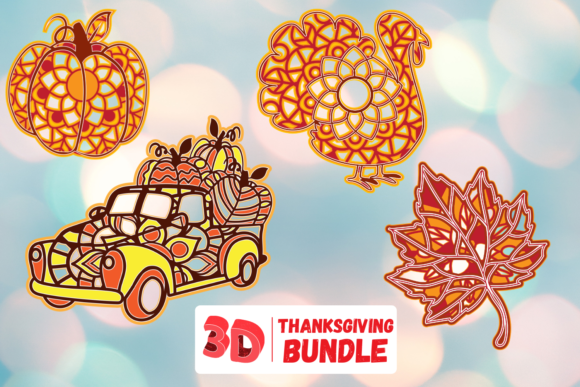
3D Thanksgiving Bundle
If you're designing seasonal social media posts, building an interactive classroom activity, or preparing a standout presentation for a small business pitch—chances are you've searched for “Thanksgiving graphics” and landed on a 3D Thanksgiving Bundle. These collections typically include layered PSD files, animated After Effects templates, Blender-ready models, and SVG assets—all themed around turkeys, pumpkins, cornucopias, and cozy autumn textures. What makes them appealing isn’t just the holiday relevance—it’s the time saved when you skip modeling from scratch or commissioning custom work. But here’s what many overlook before downloading or purchasing: not all bundles deliver what they promise—and not all are built for your actual workflow.
Assuming “3D” Means Plug-and-Play Animation
A common misconception is that any bundle labeled “3D Thanksgiving” will drop straight into Premiere Pro or Canva with motion and depth intact. In reality, many so-called 3D assets are flat illustrations with subtle shadows or perspective tricks—designed to *look* dimensional but lacking true geometry, lighting controls, or rigging. Others require specific software (like Cinema 4D R26 or Unreal Engine 5.3) and intermediate knowledge of materials, UV mapping, or keyframe interpolation. One educator bought a bundle expecting to import turkey models directly into her Google Slides lesson—only to find it contained .fbx files with no documentation and broken texture paths. She spent two hours troubleshooting instead of teaching.
Better approach: Before downloading, check the file formats listed—not just the headline features. Look for explicit mentions like “ready for Blender 4.0+,” “includes .glb for web use,” or “fully rigged in Mixamo-compatible format.” If the description says “3D-inspired” or “3D-style,” treat it as 2D with depth effects—not true 3D.
Overlooking Compatibility With Your Output Goals
Let’s say you run a local bakery and want to promote your Thanksgiving pie specials. You download a bundle promising “social-ready animations”—but the included MP4s render at 3840×2160 with no alpha channel. When you try overlaying one onto your Instagram Story background, the white edges clash horribly. Or you’re a freelance designer using Affinity Designer and assume the “vector” label means full editability—only to open the file and discover embedded raster layers masquerading as scalable art.
This mismatch doesn’t just waste time—it affects professionalism and engagement. A poorly scaled turkey animation may pixelate on mobile feeds; missing transparency limits how flexibly you can layer text or brand elements; unsupported color profiles (like Adobe RGB instead of sRGB) mute warmth in autumn tones.
What to verify first:
- Your intended platform (Instagram, email, PowerPoint, web banner) and its native specs (aspect ratio, max file size, transparency support)
- Your editing tools—and whether the bundle includes native project files (.aep, .blend, .prproj) or only exports
- Whether textures, fonts, and icon sets are licensed for commercial use (many free bundles restrict resale or client work)
Underestimating the Learning Curve—Especially for Beginners
Some creators assume that because a bundle includes “drag-and-drop scenes,” they won’t need to adjust lighting, camera angles, or material roughness. But even beginner-friendly tools like CapCut or Canva’s 3D scene builder require understanding basic spatial relationships. Rotating a cornucopia 90 degrees without adjusting its shadow direction can make it look like it’s floating—or worse, break visual continuity in a multi-slide deck.
We saw this with a small business owner who used a pre-animated “grateful table” scene across five Facebook ads. Because she didn’t tweak the light source per background image, the shadows fell inconsistently—some ads looked warm and inviting, others cold and detached. Engagement dropped 17% on the mismatched variants.
Practical tip: Spend 10 minutes exploring one scene *before* scaling up usage. Duplicate the composition, hide all but one object, and experiment with one parameter at a time: rotation, emissive strength, or ambient occlusion. Notice how small changes affect realism—and whether your tool gives live feedback (not just render previews).
Mistaking Quantity for Quality
One bundle advertises “127 Thanksgiving 3D assets!”—but 89 are variations of the same turkey model with minor color swaps and no topology improvements. Another includes 14 pumpkin models, yet only three have proper stem geometry for realistic lighting wrap. When you’re under deadline pressure, it’s tempting to grab the biggest bundle—but redundancy without flexibility rarely saves time.
Instead of scanning total counts, ask: Does this include modular pieces? Can I swap out the turkey for a vegan roast without rebuilding the whole scene? Are there alternative base plates (wood grain, linen, slate) that match different brand aesthetics? A smaller, thoughtfully grouped bundle—say, 22 assets with interchangeable components and consistent scale—often integrates faster than a bloated set requiring cleanup.
Skipping the Real-World Test Before Committing
Many bundles offer previews—but those are often rendered at high resolution with ideal lighting and no real-world constraints. Before buying, download any available free sample (even if it’s just one pumpkin or placemat). Import it into your actual project file. Try these quick checks:
- Does it scale cleanly to 1080p without jagged edges or texture blur?
- Can you change its primary color without losing shading fidelity?
- Does the file size stay reasonable after export (e.g., under 5MB for web use)?
- If animated, does playback stay smooth at 30fps on your machine—not just the creator’s high-end rig?
One marketer discovered her chosen bundle slowed her laptop to a crawl during timeline scrubbing—even though the preview video ran flawlessly. The culprit? Unoptimized mesh density and uncompressed baked lighting. She switched to a lighter-weight alternative with LOD (level-of-detail) versions and regained responsiveness without sacrificing visual appeal.
Final Thought: Match the Bundle to Your Intent, Not Just the Season
A 3D Thanksgiving Bundle isn’t just holiday decor—it’s a communication tool. Its value depends less on how many turkeys it includes and more on how well it supports your message, audience, and environment. Whether you’re explaining gratitude through immersive classroom models or launching a limited-time offer with eye-catching banners, clarity starts with alignment: between your goals and the bundle’s structure, your skills and its learning curve, your tools and its technical requirements.
So before clicking “add to cart” or “download now,” pause and ask: What’s the smallest version of this I need to test my idea—and does this bundle let me do that without friction? That question alone filters out half the noise—and leads you straight to what actually works.