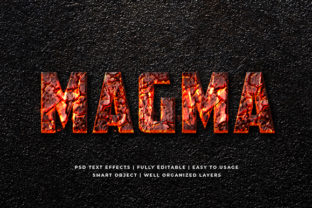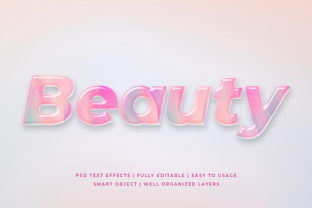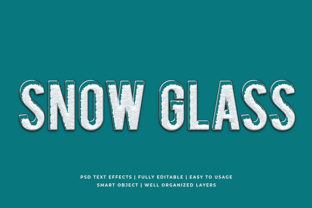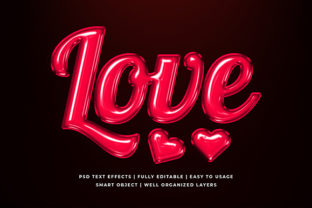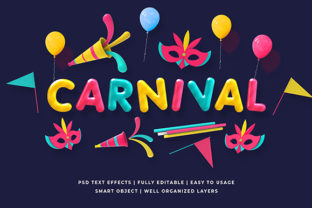
Carnival 3D Text Effect Mockup
Imagine your headline leaping off the screen—not with motion, but with dimension, texture, and playful energy. That’s what the Carnival 3D Text Effect Mockup delivers: a ready-to-use, high-fidelity visual framework that transforms flat typography into vivid, carnival-inspired depth. It’s not just a filter or overlay—it’s a layered PSD or Figma file with editable text, customizable lighting, shadow angles, surface textures (think glitter, foil, painted wood), and even optional confetti or streamer elements baked in at smart object layers.
Why This Mockup Stands Out Among 3D Typography Tools
Most 3D text generators rely on generic bevels or extrusions that feel sterile or overused. The Carnival 3D Text Effect Mockup breaks away by grounding its aesthetic in real-world carnival language: bold saturated hues, hand-painted imperfections, tactile materials, and joyful asymmetry. Its strength lies in intentionality—not just depth, but character. You’re not adding “3D” for effect; you’re evoking celebration, spontaneity, and human-made charm.
It’s also built for speed without sacrifice. Designers can drop in their brand font (as long as it supports bold weight and clean curves), adjust color via layer styles, tweak light direction to match existing assets, and export crisp PNGs or transparent WebP files—no rendering wait, no plugin dependencies.
Creative Applications Across Real Projects
This mockup isn’t limited to posters or social banners. Its flexibility shines when matched to purpose—not platform alone, but intent.
- Event Promotion: A local fair, music festival, or community parade can use it for digital flyers, stage backdrops, or vendor signage—keeping messaging bold and legible from 10 feet away while feeling handmade and inviting.
- Educational Outreach: Teachers designing classroom posters for science fairs or history weeks find it ideal for turning topic titles (“Solar System”, “Civil Rights Timeline”) into visual anchors that spark curiosity before a single word is read.
- Small Business Branding: A bakery launching “Carnival Cupcake Week” uses the mockup for Instagram carousels and email headers—consistent tone across touchpoints, with editable colors matching their apron palette or packaging.
- Content Creators: Bloggers covering travel, food, or DIY culture integrate it into YouTube thumbnails or Pinterest pins where clarity + personality compete for attention in crowded feeds.
Adapting for Different Audiences—and Avoiding Visual Overload
A children’s library hosting a summer reading carnival might push brightness and add cartoonish swirls—but keep text minimal and font ultra-legible. A boutique marketing agency pitching to luxury clients would mute saturation, swap glitter for brushed brass texture, and pair the effect with generous whitespace and serif body copy.
The key is restraint. Use the Carnival 3D Text Effect Mockup as a focal point—not the entire composition. Try these practical checks before finalizing:
- Legibility test: Zoom out to 25% view. Can you read the full phrase in under two seconds?
- Context check: Does the texture (e.g., distressed paint vs. metallic foil) support your message? A “Vintage Jazz Night” poster gains authenticity from chipped paint; a tech startup’s product launch doesn’t.
- Format alignment: For web use, simplify shadows and reduce layer effects that don’t translate well in compressed JPEGs. For print, enable high-res output and verify CMYK-safe colors if needed.
Style Variations Without Starting From Scratch
Because the mockup is fully layered and non-destructive, you can explore variations fast—no need to rebuild geometry or lighting each time.
Try swapping the base texture: replace the default carnival canvas with a scanned watercolor paper layer for an artisanal craft fair, or overlay a subtle halftone pattern for retro comic-book energy. Adjust the light source angle to cast long afternoon shadows (ideal for outdoor event posters) or tight, front-facing highlights for digital ads where impact must be instant.
For educators or nonprofit teams working with tight budgets, duplicate the mockup file and create a “style guide” version: one tab with brand-approved color hex codes, another with font pairing suggestions (e.g., “Use Montserrat Bold for headlines, Lora Regular for body”), and a third with do’s/don’ts like “Avoid stacking more than two decorative elements” or “Always maintain 4:1 contrast ratio against background.”
Realistic Workflow Tips for Non-Designers
You don’t need Photoshop mastery to use this effectively. If you’re a small business owner, blogger, or educator using Canva or Figma, look for versions labeled “Smart Object Compatible” or “Figma Auto-Layout Ready.” These let you paste your text, click “Update,” and retain all depth and lighting—no layer digging required.
Stuck on color? Pull from real carnival references: striped awnings (navy + red + cream), vintage ticket stubs (sepia + burnt orange), or balloon bouquets (teal + coral + mustard). Tools like Coolors.co or Adobe Color’s “Extract Theme from Image” make this seamless.
And remember: consistency beats complexity. Using the same light angle and texture family across three social posts builds recognition faster than rotating five different “fun” effects.
When to Choose This Over Other 3D Options
Reach for the Carnival 3D Text Effect Mockup when your goal is immediate warmth and approachability, not sleek futurism or corporate polish. It’s the right choice for projects where “human” matters more than “high-tech”—community announcements, handmade product launches, school initiatives, or any message meant to feel inclusive, energetic, and grounded in shared experience.
It’s not about making text “pop” just to stand out. It’s about making it resonate—with clarity, context, and a little joyful gravity.