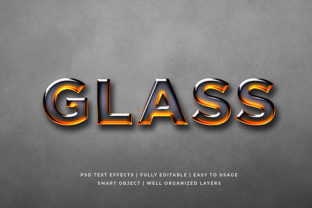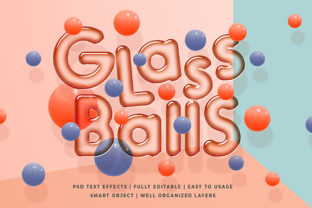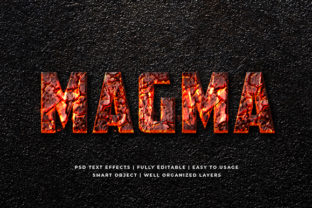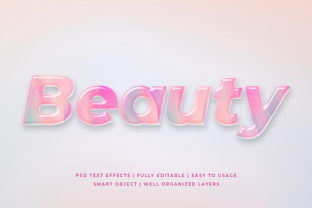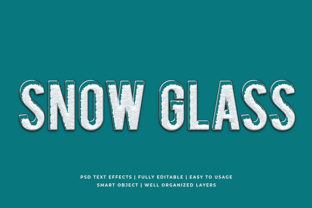
Snow Glass 3D Text Effect Mockup
Imagine crisp, luminous typography that seems carved from frosted ice—translucent, dimensional, and quietly elegant. That’s the essence of the Snow Glass 3D Text Effect Mockup: a ready-to-use design resource that transforms flat text into a refined, layered 3D composition with realistic glass-like depth, subtle snow-dusted highlights, and soft ambient shadows. It’s not just a visual filter—it’s a tactile, atmospheric effect built for clarity and impact.
Why This Effect Stands Out (Beyond Aesthetics)
Unlike generic 3D text generators, the Snow Glass 3D Text Effect Mockup delivers consistency, control, and intentionality. Its strength lies in its balance: it adds dimension without overwhelming legibility, introduces texture without sacrificing professionalism, and evokes winter-inspired calm without locking you into seasonal themes. The mockup typically includes smart layers (in PSD or Figma), editable lighting angles, customizable background options (matte white, gradient, subtle texture), and adjustable opacity for the “frost” overlay—giving you real design agency, not just a one-click gimmick.
Creative Applications That Go Further Than Holiday Cards
This effect thrives where tone, trust, and quiet sophistication matter. Consider these grounded, real-world uses:
- Brand Launches & Rebrands: Tech startups, wellness studios, or boutique skincare lines use it to signal clarity, purity, and forward-thinking design—without resorting to clichéd “clean” minimalism.
- Educational & Thought Leadership Content: An educator presenting a new framework, a consultant launching a methodology, or a researcher highlighting key findings can apply the effect to titles in slide decks or report covers—elevating substance with restrained visual weight.
- Digital Product Assets: App onboarding screens, SaaS dashboard headers, or premium feature callouts benefit from the effect’s gentle depth—it draws attention without competing with interface elements.
- Print-Ready Materials: Business cards, letterheads, or exhibition signage gain tactile presence when printed on matte or soft-touch stock—the mockup’s layered transparency translates beautifully to physical media.
Adapting It Across Audiences and Platforms
The flexibility of the Snow Glass 3D Text Effect Mockup comes from how easily it integrates into existing workflows—and how thoughtfully it responds to context.
For marketers: Pair it with warm-toned photography or muted lifestyle imagery to create contrast that feels intentional, not jarring. Avoid overusing it across every campaign banner—reserve it for flagship announcements or brand-defining moments where tonal alignment matters most.
For educators and creators: Use it to highlight core concepts in workshop handouts or online course thumbnails—but keep body copy in a highly legible sans-serif (like Inter or Source Sans Pro) to preserve readability. The effect should frame ideas, not obscure them.
For small business owners: Apply it sparingly on social bios, website hero sections, or product packaging. Test it across devices: on mobile, reduce the frost layer’s opacity slightly so text remains sharp at smaller sizes. Consistency across touchpoints builds recognition; repetition without variation builds fatigue.
Styling Variations That Keep It Fresh (Not Forced)
You don’t need ten versions—just thoughtful variations. Try these practical tweaks:
- Color Temperature Shifts: Swap cool blue-white highlights for soft peach or sage tints to align with brand palettes—maintaining translucency while shifting mood.
- Background Integration: Place the text over a blurred version of your brand pattern or a softly focused photo. The glass effect interacts naturally with underlying detail, adding organic depth.
- Layered Typography: Combine the Snow Glass effect on a headline with clean, unembellished subheadings. The contrast reinforces hierarchy—not decoration for its own sake.
- Motion Lite: In digital contexts, animate only the light reflection (a subtle horizontal glide) rather than spinning or zooming the entire text. It feels considered, not distracting.
What to Avoid (So It Serves Your Goals)
This effect works best when it supports communication—not competes with it. Steer clear of:
- Overloading multiple effects: Don’t pair it with heavy outlines, drop shadows, or aggressive gradients. Its power is in restraint.
- Low-contrast combinations: Avoid pale text on light frost backgrounds—or dark text on deep navy. Always test readability using tools like WebAIM’s Contrast Checker.
- Using it for functional UI labels: Buttons, form fields, or navigation items need immediate clarity. Save the effect for expressive, non-interactive elements.
- Ignoring file format limits: If exporting for web, use SVG for scalable vector output (with embedded CSS filters) or high-res PNGs with transparent backgrounds—not JPEGs, which compress away subtlety.
Getting Started—Practically, Not Perfectly
You don’t need advanced 3D software or months of practice. Most Snow Glass 3D Text Effect Mockups are built for Photoshop, Figma, or Affinity Designer—and include step-by-step instructions. Start with one project: redesign your LinkedIn banner headline, refresh your portfolio site’s “About” section header, or update a recurring newsletter subject line graphic. Focus first on how the effect changes perception—not just appearance.
Then ask: Does it feel more confident? More intentional? Does it reflect what you want people to remember about your work—not just how it looks, but how it lands? That’s when the mockup stops being a tool and becomes part of your voice.
A Final Note on Authenticity
Trends fade. Tools evolve. But clarity, care, and coherence endure. The Snow Glass 3D Text Effect Mockup isn’t about chasing novelty—it’s about choosing a visual language that aligns with your values and serves your audience. When used with purpose, it doesn’t shout. It settles. And sometimes, the most memorable messages are the ones that arrive with quiet certainty.