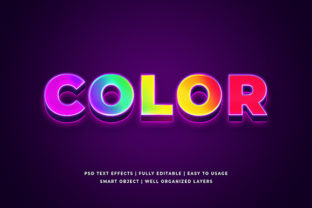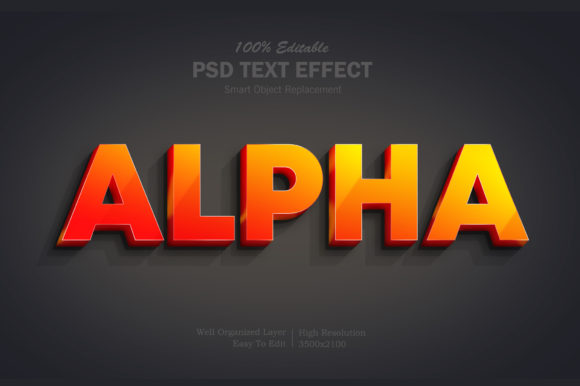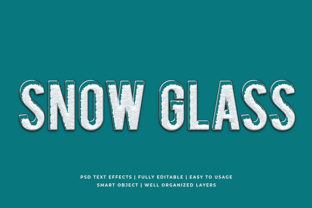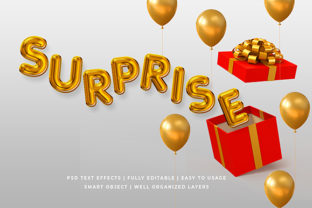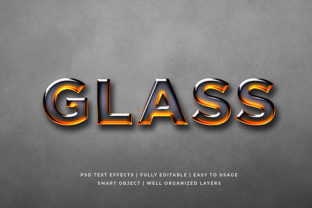
Hot Glass 3D Text Effect Mockup: When Clarity, Depth, and Realism Matter Most
A Hot Glass 3D Text Effect Mockup is a specialized digital template designed to simulate the appearance of text rendered in molten, translucent glass—complete with realistic refraction, subtle surface distortion, internal glow, and layered depth. Unlike generic 3D text generators or flat layered PSD files, this type of mockup uses high-fidelity lighting models, carefully calibrated transparency gradients, and often includes editable smart layers that preserve material integrity when swapping copy. It’s not just about adding shadows or bevels; it’s about evoking the optical behavior of heated, viscous glass as it cools into a solid yet luminous form.
What Sets Hot Glass 3D Text Effect Mockup Apart
The distinction lies in physics-aware rendering. Most 3D text effects rely on simplified layer styles—inner glows, gradient overlays, or basic extrusion. A Hot Glass 3D Text Effect Mockup, by contrast, mimics how light bends through curved, semi-liquid surfaces. You’ll see soft chromatic aberration at edges, gentle caustic highlights where light converges, and variable opacity that shifts with letterform curvature. These details aren’t decorative flourishes—they’re intentional approximations of real-world optical properties.
This realism makes the mockup especially effective for branding contexts where sophistication, innovation, or craftsmanship are central themes: luxury tech interfaces, artisanal product launches, premium beverage labels, or experiential art installations. It communicates both temperature and translucency—not just “3D,” but materially grounded 3D.
How It Compares With Other 3D Text Approaches
Not all 3D text solutions serve the same purpose. Understanding tradeoffs helps match tools to intent:
- Layer-style 3D text (e.g., Photoshop layer effects): Fast to apply and highly editable, but lacks true depth perception or consistent lighting across characters. Works well for quick social graphics—but falls short when realism or scalability matters.
- Vector-based 3D extrusions (e.g., Illustrator 3D effects or Figma plugins): Maintain resolution independence and offer good control over perspective and lighting. However, they rarely replicate material nuance—glass isn’t just “shiny”; it’s refractive, uneven, and thermally dynamic.
- Photorealistic mockups (like the Hot Glass 3D Text Effect Mockup): Require more setup—often involving PSD or layered Procreate files—and demand attention to lighting consistency when editing. In return, they deliver unmatched fidelity for final presentation assets, pitch decks, or client-facing visuals where perceived quality directly influences credibility.
- 3D-rendered text (e.g., Blender or Cinema 4D exports): Offer full parametric control and animation capability, but come with steep learning curves and longer iteration cycles. A Hot Glass 3D Text Effect Mockup delivers comparable visual impact without requiring 3D software expertise—making it accessible to designers who prioritize outcome over pipeline.
Strengths and Practical Tradeoffs
The primary strength of a Hot Glass 3D Text Effect Mockup is its ability to compress complex optical behavior into an editable, reusable format. Once you’ve adjusted the text layer, lighting remains coherent across characters—even in tight kerning or overlapping glyphs—because the effect is baked into the layer structure with intelligent masking and blending modes.
However, that fidelity comes with constraints:
- Editing flexibility is bounded: You can change font size, weight, and copy—but switching fonts may require manual repositioning of highlights or adjusting transparency maps. Script or ultra-thin fonts may lose structural clarity under the glass effect.
- File size and performance: High-res PSD versions often exceed 200 MB due to multiple 16-bit layers, adjustment masks, and embedded smart objects. This can slow down older systems or complicate cloud collaboration if version history isn’t managed carefully.
- Color context dependency: The effect relies heavily on background contrast. On dark or midtone backgrounds, the internal glow reads clearly. On bright or white backgrounds, the glass may appear washed out unless the mockup includes a dedicated shadow or ambient occlusion layer—which not all variants do.
Best-Fit Situations: Where It Delivers Real Value
A Hot Glass 3D Text Effect Mockup shines when your goal is perceived quality at scale—not just visual interest. Consider it ideal when:
- You’re preparing a brand identity presentation for stakeholders who evaluate design through lens of craftsmanship and material storytelling.
- You need to showcase typographic hierarchy in a UI concept where text functions as both interface element and branded artifact (e.g., a smart appliance display or AR overlay).
- You’re designing limited-edition packaging for a premium product—say, a small-batch gin or ceramic studio’s seasonal release—and want typography that feels tactile, hand-formed, and luminous.
- Your workflow involves frequent client revisions but limited time for custom rendering—having a pre-vetted, lighting-consistent mockup saves hours per round.
In each case, the value isn’t merely aesthetic—it’s communicative efficiency. The mockup conveys temperature, fragility, luminosity, and intentionality in a single glance.
When Another Option May Be More Appropriate
That said, a Hot Glass 3D Text Effect Mockup isn’t universally optimal. It becomes less suitable when:
- Speed and iteration volume are critical: For daily social posts or A/B testing headlines, simpler layer effects or animated SVG text will yield faster results with lower cognitive load.
- Responsive or interactive output is required: Static mockups don’t translate to web or app environments without conversion work. If your end use is a live website header or micro-interaction, CSS 3D transforms or WebGL text libraries may integrate more cleanly—even if they sacrifice some material nuance.
- Typography must remain fully editable across formats: If you need identical text styling in print, email, and web—without re-exporting or manual alignment—a scalable vector solution may align better with production pipelines.
- Accessibility is a first-order concern: The heavy contrast and internal glow that make hot glass legible on screen can reduce readability for users with photophobia or certain visual processing differences. Always test contrast ratios and provide fallbacks in final delivery.
Making a Grounded Choice
Selecting a Hot Glass 3D Text Effect Mockup isn’t about choosing the “most impressive” tool—it’s about matching material language to communication goals. Ask yourself: Does the audience associate glass with innovation, purity, or fragility? Is the message meant to feel warm, precise, or immersive? Does the context reward patience and detail—or demand speed and adaptability?
Real-world examples illustrate this nuance. A fintech startup launching a secure identity verification tool might opt for cool, frosted glass effects—emphasizing clarity and trust. A glassblowing studio promoting a new workshop series would benefit more from the hot variant: amber-tinted highlights, visible thermal flow lines, and softened edges that echo the craft process itself. Both use glass as metaphor—but the temperature, viscosity, and light behavior shift meaningfully.
Also consider downstream usage. If the mockup will be handed off to a developer for implementation, ensure it includes documented layer logic, export guidelines, and notes on which elements are safe to adjust versus those that anchor the effect’s integrity. Some Hot Glass 3D Text Effect Mockup packages include PDF guides or video walkthroughs—these aren’t marketing extras; they’re practical safeguards against unintended degradation during editing.
Ultimately, the right choice balances fidelity with function. A Hot Glass 3D Text Effect Mockup excels when realism serves strategy—not when it overshadows it. It rewards thoughtful application, respects material logic, and offers a rare combination: instant visual impact with enduring perceptual resonance.