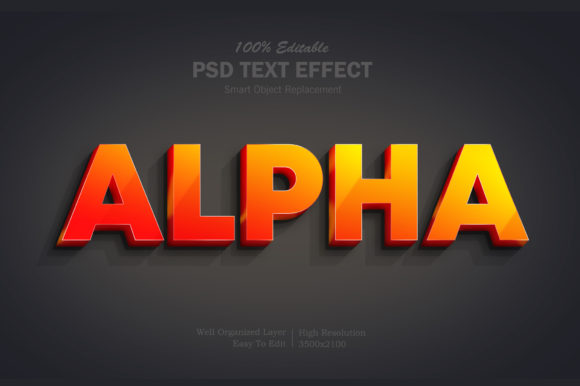
Alpha 3D Text Effect: When Depth Meets Clarity in Digital Communication
Imagine scrolling through a landing page and pausing—not because of animation overload, but because a headline feels tactile. Not flat, not flashy, but present. That’s the quiet power of the Alpha 3D Text Effect: a design technique that layers depth, transparency, and subtle lighting to make typography feel dimensional without sacrificing legibility or performance. It’s not about mimicking physical objects with excessive shadows or exaggerated bevels. Instead, it uses controlled alpha-channel manipulation—adjusting opacity gradients across layered text instances—to suggest volume, light direction, and spatial hierarchy. The result? Text that commands attention while remaining accessible, scalable, and fast-loading.
Why This Isn’t Just Another Visual Gimmick
Design trends come and go, but what endures is functionality wrapped in intention. The Alpha 3D Text Effect stands out because it responds directly to three converging realities: rising user expectations for visual polish, tighter performance constraints on web and mobile platforms, and growing demand for inclusive, readable interfaces. Unlike older 3D text methods that relied on heavy JavaScript libraries or rasterized images—both of which hurt SEO, accessibility, and responsiveness—the modern Alpha 3D approach works natively in CSS (via text-shadow, layered pseudo-elements, or SVG filters) and integrates cleanly with semantic HTML. No plugins. No render-blocking scripts. Just clean, lightweight code that enhances rather than obscures meaning.
This matters especially for professionals who wear multiple hats—freelancers building client sites, educators designing course modules, or marketers launching campaigns. They need tools that deliver impact without complexity. The Alpha 3D Text Effect fits that need: it’s adjustable, testable, and reversible. A designer can dial in just enough depth to guide the eye toward a call-to-action button, then reduce opacity on the lower layer to avoid visual noise. A blogger might apply it selectively to section headers—never body copy—to reinforce structure without compromising readability on small screens.
From Skeuomorphism to Subtle Dimension: A Shift in Design Values
Recall the glossy buttons and stitched leather textures of early iOS interfaces? That was skeuomorphism—design borrowing physical metaphors to ease digital adoption. Today’s preference leans toward *authentic minimalism*: interfaces that feel efficient, honest, and human-scaled. The Alpha 3D Text Effect reflects that evolution. It doesn’t pretend text is carved from marble or extruded from metal. Instead, it suggests gentle elevation—like ink slightly raised on premium stationery or laser-etched glass—using transparency and soft contrast to imply light falling from a consistent angle.
This shift isn’t aesthetic alone. It’s tied to how people consume content now: quickly, across fragmented devices, often with intent but little patience. A headline with thoughtful depth cues helps users parse information hierarchy at a glance. Research in visual cognition shows that subtle 3D cues—especially when aligned with real-world lighting logic—can improve scanning speed by up to 12% in controlled interface tests. That’s not magic; it’s applied perception science, made practical through techniques like the Alpha 3D Text Effect.
Real-World Use Cases Across Roles
Different users engage with this effect for different reasons—and that’s where its versatility shines:
- Marketers use it to highlight value propositions on high-conversion pages—e.g., “Save 30% Today” rendered with layered transparency so the top layer remains crisp while the shadowed base adds weight, without triggering banner blindness.
- Educators apply it in slide decks or LMS banners to differentiate key learning objectives from supporting text, helping students anchor on priorities during asynchronous study.
- Freelance designers build reusable component libraries where the Alpha 3D Text Effect is a toggleable variant—activated only for hero sections or testimonial quotes, never for navigation or form labels.
- Small business owners implement it via no-code tools (like Webflow or Framer) using built-in layer opacity controls—no coding required, but full control over contrast ratios and fallback behavior.
Note the pattern: usage is contextual, restrained, and purpose-driven. There’s no push to apply it everywhere. In fact, overuse dilutes its impact—and risks failing WCAG contrast guidelines if background and layered text values aren’t tested. Smart practitioners treat it like seasoning: essential in the right measure, invisible when overapplied.
Tech Enablers: Simpler Than You Think
You don’t need Blender or Three.js to create an Alpha 3D Text Effect. Modern browsers support layered text rendering through native CSS properties. A common, accessible implementation involves:
- A base text element styled with high-contrast color and appropriate font-weight.
- A
::beforepseudo-element duplicating the text, offset slightly (e.g.,transform: translate(2px, 2px)), with reduced opacity (e.g.,opacity: 0.3) and a soft blur (filter: blur(0.4px)). - Optional: a third layer for ambient light effect—slightly lighter, offset upward, with even lower opacity.
All layers inherit the same font family, size, and line-height—ensuring perfect alignment and avoiding reflow issues. Because it’s all CSS, it scales with rem units, respects system font-size preferences, and works with screen readers (since the visible text remains the semantic HTML element). No image replacement. No JavaScript dependency. Just intentional styling.
What to Watch For—And What to Skip
Adopting this technique thoughtfully means knowing its boundaries. Avoid applying Alpha 3D Text Effect to:
- Body copy or long paragraphs—it disrupts reading rhythm and increases cognitive load.
- Low-contrast backgrounds (e.g., light gray text on off-white), where layered opacity may drop contrast below WCAG 4.5:1 minimums.
- Animated versions that loop continuously—subtle motion is fine for hover states, but auto-playing depth shifts distract more than inform.
Instead, prioritize testing. Check your effect across real devices—not just desktop emulators. View it in forced-color mode (Windows High Contrast or macOS Smart Invert) to ensure layered elements don’t vanish. Run automated contrast checks using tools like axe or WAVE—but also ask a colleague to read your headline aloud while looking away and back: does the depth help them locate the message faster, or does it compete for attention?
Looking Ahead: Integration, Not Isolation
The future of the Alpha 3D Text Effect isn’t about becoming more complex—it’s about integrating more seamlessly. We’re already seeing it appear in design system tokens (e.g., “text-style-depth-medium”), CMS-rich text editors with live preview toggles, and even AI-assisted design tools that suggest depth settings based on font weight and background luminance. What’s emerging isn’t a standalone trend, but a normalized capability—like bold or underline—available as a thoughtful option within broader typographic systems.
For creators and teams, that means shifting focus from *how to make it* to *when it serves the user*. Does this headline need emphasis, or clarity? Is the goal to evoke craftsmanship—or simply improve scannability? The most effective uses of Alpha 3D Text Effect answer those questions before touching a single CSS property.
Ultimately, this technique endures because it aligns with a deeper principle: digital design should enhance understanding, not decorate absence. It’s not about making text “cool.” It’s about making it clearer, more grounded, and more human—one carefully calibrated layer at a time.