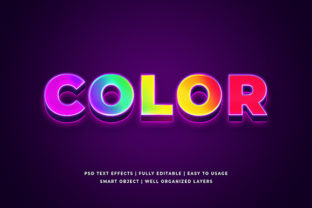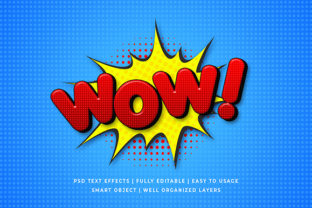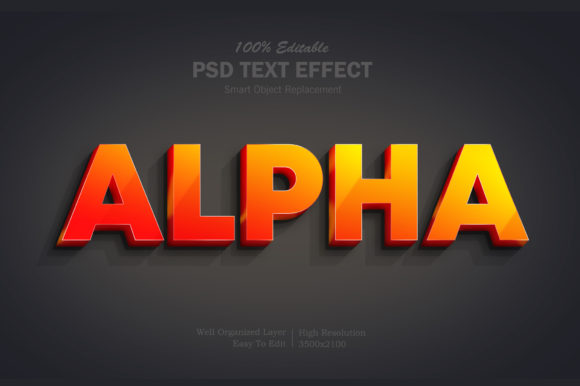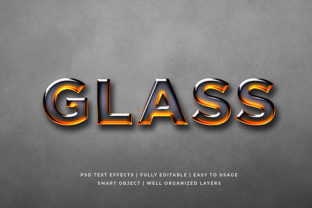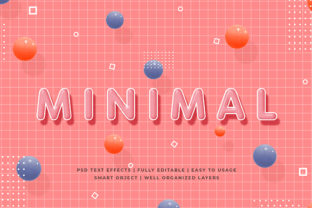
Minimal 3D Text Effect Mockup: When Simplicity Meets Dimension
A Minimal 3D Text Effect Mockup is a digital design resource—typically delivered as a layered PSD, Figma file, or editable Smart Object—that renders text with subtle depth, lighting, and perspective, while deliberately avoiding ornamentation, excessive shadows, or complex textures. Unlike high-gloss metallic or neon-lit 3D treatments, it uses restrained gradients, soft ambient occlusion, and modest extrusion to suggest volume without visual noise. Its purpose isn’t to dominate attention but to elevate clarity, hierarchy, and modern polish—especially in contexts where typography carries weight but shouldn’t compete with content.
What Sets It Apart From Other 3D Typography Approaches
The distinction lies not in technical capability but in intention. Many 3D text mockups prioritize realism (e.g., carved stone, liquid chrome, or holographic glass), requiring precise light source placement, material mapping, and render time. A Minimal 3D Text Effect Mockup, by contrast, abstracts dimension into two or three editable layers: base text, a faint offset shadow or bevel, and optional ambient fill. This makes it faster to customize, lighter to embed in web or presentation workflows, and more adaptable across brand systems that value consistency over spectacle.
It also differs from flat typographic treatments with faux-3D filters applied in real time (like CSS text-shadow stacks or basic Illustrator extrude effects). Those often lack control over surface interaction—how light falls across the front face versus the side—and rarely include realistic perspective foreshortening. A well-designed Minimal 3D Text Effect Mockup preserves optical fidelity: the extrusion angle stays consistent, the depth scale remains proportional to font size, and lighting direction is unified across multiple words or lines.
Where It Fits in Real-World Design Workflows
This type of mockup shines in environments where speed, scalability, and tonal alignment matter more than photorealism. Consider these examples:
- Brand guidelines documentation: A tech startup updating its UI kit may use a Minimal 3D Text Effect Mockup to preview how product names appear on app launch screens—clean, legible, and subtly dimensional—without committing to custom rendering for every headline variation.
- Pitch decks and investor presentations: Rather than embedding heavy 3D renders that slow down slide transitions, designers drop pre-styled text layers into slides. The effect reads as intentional and contemporary—not gimmicky—supporting credibility rather than distracting from data.
- Web hero sections with static assets: When performance budgets restrict large WebGL implementations or Lottie animations, a lightweight PNG or SVG export from a Minimal 3D Text Effect Mockup delivers controlled depth with near-zero latency.
In each case, the value isn’t in “looking 3D,” but in communicating sophistication through restraint—much like a finely tuned serif font or a precisely spaced letterform does.
Tradeoffs to Acknowledge Before Choosing
No design tool excels universally—and the Minimal 3D Text Effect Mockup has clear boundaries. Its strength in efficiency and cohesion becomes a limitation when projects demand:
- Dynamic responsiveness: Because most are built as static layer comps, adapting them fluidly across breakpoints (e.g., scaling depth proportionally on mobile vs. desktop) usually requires manual rework—not automatic recalibration.
- Material specificity: You won’t find brushed aluminum grain, frosted glass refraction, or weathered concrete texture baked in. If your project’s identity hinges on tactile material language, this approach may feel too neutral—or even underdeveloped—without additional customization.
- Animation readiness: While some mockups include basic layer-based animation guides (e.g., staggered reveal of front face and extrusion), they’re rarely built for smooth motion timelines. For micro-interactions or scroll-triggered depth shifts, dedicated motion tools or code-driven solutions remain more flexible.
Also worth noting: minimalism here doesn’t mean low effort. Achieving balance—where depth enhances readability instead of muddying contrast—requires thoughtful color pairing, sufficient spacing, and careful anti-aliasing. A poorly executed Minimal 3D Text Effect Mockup can look unintentionally flat or oddly detached, especially against busy backgrounds.
How It Compares With Broader Alternatives
Designers evaluating options often weigh Minimal 3D Text Effect Mockups alongside several other paths:
- Custom-coded 3D text (e.g., Three.js or GSAP): Offers full interactivity, dynamic lighting, and responsive behavior—but demands development time, ongoing maintenance, and cross-browser testing. Best for flagship campaigns or product demos where motion and user input are central.
- Photographic or video-based mockups: Place typography into real-world scenes (e.g., engraved on marble, printed on fabric). These deliver unmatched contextual authenticity but sacrifice editability—you can’t easily change wording or adjust depth without reshooting or heavy compositing.
- Flat, high-contrast typography with strategic spacing: Sometimes the most effective alternative. In editorial layouts or accessibility-first interfaces, removing all perceived depth may improve scan speed and screen reader compatibility. Here, the question isn’t “which 3D option?” but “does dimension serve the goal at all?”
The Minimal 3D Text Effect Mockup occupies a pragmatic middle ground: more expressive than pure flat type, less involved than coding or photography, and more controllable than filter-based approximations.
Decision Factors That Matter Most
Ask yourself these questions before selecting or investing time in a Minimal 3D Text Effect Mockup:
- Is depth supporting meaning—or just decoration? If the text conveys hierarchy (e.g., “Our Vision” as a section header), subtle dimension can reinforce importance. If it’s body copy or functional labels, it likely adds friction.
- How many variations will you need? A mockup with robust layer organization and clear naming conventions saves hours when generating dozens of logo lockups or campaign taglines. One with merged layers or inconsistent grouping quickly becomes unwieldy.
- What’s your output environment? Web, print, video, or social? Some Minimal 3D Text Effect Mockups export cleanly to SVG with preserved layer logic; others rely on raster outputs that blur at larger sizes. Check resolution limits and format support before committing.
- Do stakeholders expect consistency across touchpoints? If your brand uses the same headline treatment in email headers, landing pages, and sales collateral, a reusable mockup ensures uniformity—unlike one-off Photoshop renders that drift in tone or scale.
None of these factors make the Minimal 3D Text Effect Mockup “right” or “wrong.” They simply clarify where it aligns—and where another method may reduce overhead or better serve users.
When It’s Likely the Right Choice
A Minimal 3D Text Effect Mockup tends to be the strongest fit when:
- You’re working within tight deadlines but still want typographic distinction beyond default fonts.
- Your brand voice balances innovation with approachability—think fintech dashboards, wellness apps, or academic publications—not theatrical entertainment or luxury packaging.
- You need to produce multiple versions (A/B tests, localization, seasonal variants) without rebuilding each from scratch.
- Accessibility and performance constraints rule out heavier alternatives, yet flat type feels visually inert for your context.
In those situations, it functions less like a stylistic flourish and more like a precision tool—one that extends typographic intent without obscuring it.