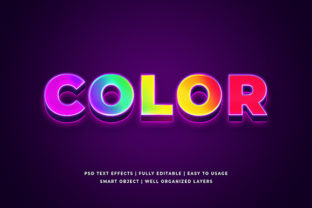
Color 3D Text Effect Mockup: Bringing Dimension, Depth, and Realism to Digital Typography
Typography is rarely just about legibility—it’s about presence. In digital design, where attention spans are fleeting and visual noise is constant, a single line of text must do more than communicate meaning. It must occupy space with intention, evoke mood through form, and resonate emotionally before the reader even processes the words. The Color 3d Text Effect Mockup bridges that gap between flat composition and immersive visual storytelling. Unlike static text layers or generic layer styles, this technique simulates physical depth, materiality, and lighting—transforming typography into something tactile, dimensional, and contextually grounded.
What Makes a Color 3D Text Effect Mockup More Than Just a Filter?
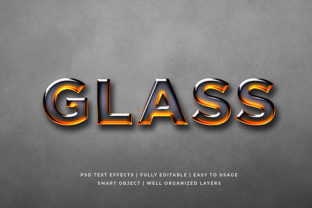
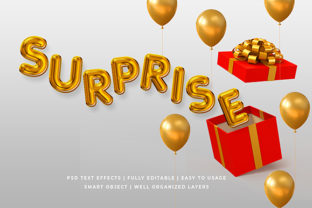
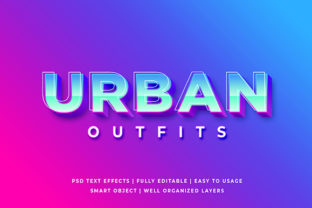
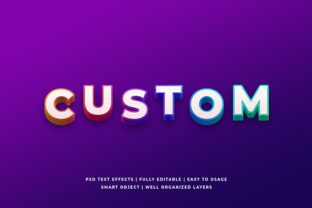
A mockup, by definition, is a realistic representation—not a raw effect applied in isolation, but a carefully constructed scene where text exists within an environment. A true Color 3d Text Effect Mockup integrates lighting direction, surface texture (e.g., brushed metal, matte acrylic, glossy enamel), shadow diffusion, ambient occlusion, and chromatic response to light. It accounts for how colored light interacts with adjacent surfaces—how a vibrant cyan headline casts a subtle blue tint on the background plane beneath it, or how a warm gold letterform reflects faint amber highlights on its beveled edge.
This differs fundamentally from basic CSS text-shadow stacks or Photoshop “3D extrude” presets. Those tools generate geometric approximations. A well-crafted Color 3d Text Effect Mockup responds to real-world optical principles: perspective foreshortening, light falloff, specular vs. diffuse reflection, and color bleed. Designers use layered PSD files, Figma auto-layout components with nested shadows and gradients, or specialized mockup generators that simulate ray-traced lighting—all calibrated so the text feels anchored, not pasted.
Practical Applications Across Diverse Fields
The versatility of the Color 3d Text Effect Mockup lies in its adaptability across roles and industries—not as a stylistic flourish, but as a functional communication tool.
Brand Identity & Marketing Campaigns
When launching a premium product—a limited-edition speaker system, a craft spirits line, or a luxury watch—the first impression often lives in social feeds or email banners. Flat text fails to convey craftsmanship; a Color 3d Text Effect Mockup does. Imagine “NOCTURNE” rendered in deep indigo with copper foil texture, cast against a charcoal velvet backdrop. The extrusion isn’t arbitrary—it mirrors the physical bezel thickness of the actual product. This alignment builds perceptual consistency between digital assets and tangible goods, reinforcing brand authenticity without needing photography.
Educational Materials & Infographics
Instructors and curriculum designers increasingly rely on visual scaffolding to support comprehension. A Color 3d Text Effect Mockup can emphasize hierarchical relationships: core concepts appear lifted and illuminated, while supporting terms sit flush or recessed. For example, in a biology module on cellular respiration, “MITOCHONDRIA” might emerge with soft green metallic depth, while “Krebs Cycle” and “Electron Transport Chain” rest slightly lower in muted bronze—creating spatial metaphor for process flow. Learners subconsciously map structure onto dimension.
UI Prototyping & App Onboarding
User interface designers use Color 3d Text Effect Mockups to prototype micro-interactions before coding. A floating action button labeled “Record” doesn’t just need contrast—it needs perceived weight and pressability. Applying a subtle 3D extrusion with dynamic shadow (lighter when idle, deeper on hover) signals interactivity more intuitively than color alone. In Figma or Adobe XD, designers embed these mockups directly into interactive prototypes, allowing stakeholders to experience hierarchy and affordance—not just see it.
Print & Packaging Previsualization
Before committing to embossing, foil stamping, or spot UV varnish, brands rely on mockups to evaluate feasibility and impact. A Color 3d Text Effect Mockup simulates how light will catch raised type on a matte kraft box or how holographic ink shifts across curved bottle labels. Print vendors often request these files alongside Pantone references and dieline templates—because they reduce costly physical proofs and align creative, production, and marketing teams around a shared visual benchmark.
Key Characteristics That Define Quality Implementation
Not all 3D text mockups deliver equal credibility. The most effective ones share several observable traits:
- Consistent Light Logic: Shadows fall at matching angles across all letters; no element appears lit from conflicting directions.
- Material-Appropriate Rendering: A rubberized logo has soft, diffused highlights; polished chrome shows sharp, high-contrast reflections.
- Contextual Integration: Background textures interact realistically—grain visible beneath translucent letterforms, or dust particles catching light near edges.
- Subtle Imperfection: Slight variation in extrusion depth or micro-texture breaks artificial uniformity, mimicking hand-finished objects.
- Color-Aware Depth: Warmer hues advance visually; cooler tones recede—even within the same word. A “VIOLET” mockup may lift the ‘V’ and ‘T’ slightly higher than the ‘I’ and ‘O’ to guide reading order.
These details aren’t decorative—they’re cognitive signposts. Research in perceptual psychology shows humans parse dimensional cues faster than color or shape alone. A well-executed Color 3d Text Effect Mockup leverages that instinct to improve information retention and emotional resonance.
Workflow Considerations for Teams and Individuals
Adopting this technique requires balancing fidelity with flexibility. Solo creators may prioritize speed: using pre-built mockup kits in Figma or Canva with editable color swatches and drag-and-drop text fields. Agencies and in-house design teams often develop internal libraries—PSD templates with smart object layers, organized layer groups for lighting, texture, and shadow controls, and naming conventions that clarify version history (“Logo_3D_MatteBlack_V3.psd”).
Cross-functional collaboration introduces additional considerations. Developers need export guidance: when should 3D text remain raster (for complex lighting), and when is SVG-based approximation acceptable (for responsive headings)? Content strategists must weigh readability—highly dimensional text reduces contrast ratios, potentially affecting WCAG compliance. A “gold-on-black” extruded headline may dazzle in a hero banner but fail accessibility checks if used for body copy.
One emerging best practice is progressive dimensionality: applying full Color 3d Text Effect Mockup treatment only to primary headlines or CTAs, while using simplified depth cues (single-direction shadows, slight bevels) elsewhere. This maintains visual hierarchy without overwhelming interfaces or slowing load times.
Evolving Trends and Technical Shifts
What began as a Photoshop-heavy process is now converging with real-time rendering and generative tools. WebGL-powered web mockups allow clients to rotate 3D text in-browser, adjusting lighting and material parameters live. AI-assisted tools can now suggest optimal extrusion depth based on font weight and x-height—or generate photorealistic texture overlays from text-only inputs. Still, human judgment remains irreplaceable: algorithms can simulate light, but only designers understand whether a 7° bevel conveys “innovation” or “heaviness” in a given context.
Another shift is toward adaptive dimensionality. As dark mode adoption grows, mockups are no longer designed for one background. Forward-thinking studios create dual-state assets: one optimized for light backgrounds (softer shadows, cooler highlights), another for dark (higher contrast, warmer accents), ensuring the Color 3d Text Effect Mockup retains impact regardless of user preference.
Why This Technique Endures Beyond Aesthetic Cycles
Fads come and go—glassmorphism, brutalism, neumorphism—but dimensional typography persists because it answers a fundamental human need: to orient ourselves in space. Even in flat UIs, we rely on shadows and elevation to understand stacking order. The Color 3d Text Effect Mockup extends that principle to language itself, transforming abstract symbols into objects we can mentally grasp, rotate, and relate to.
It also democratizes sophistication. You don’t need a 3D modeling degree to use a well-structured mockup file—you need observational skill, an understanding of light behavior, and respect for context. That accessibility, combined with its cross-disciplinary utility, ensures its relevance for educators designing lecture slides, researchers visualizing data titles, small-business owners crafting storefront signage, and developers building accessible web components.
Ultimately, the Color 3d Text Effect Mockup isn’t about making text “look cool.” It’s about honoring the physical intelligence embedded in how we see—and using that intelligence to make communication clearer, more memorable, and more human.