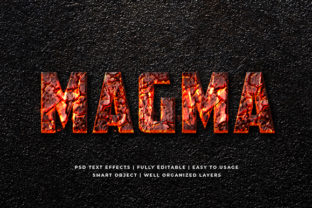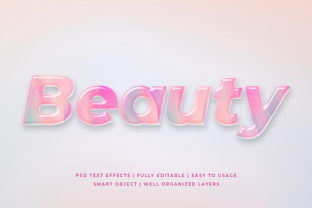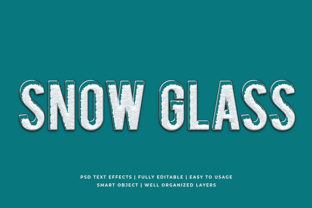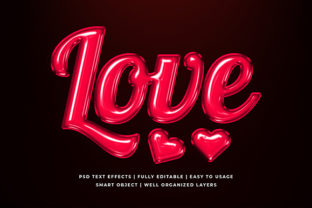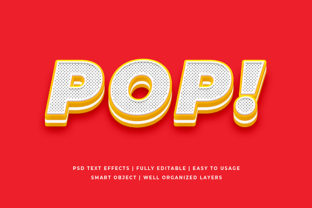
Pop Art 3D Text Effect Mockup
Imagine turning a simple headline into a bold, vibrant, dimensional statement—like something straight out of a Warhol silkscreen or a Lichtenstein comic panel. That’s the core appeal of a Pop Art 3D Text Effect Mockup: a ready-to-use digital template that applies stylized depth, color blocking, halftone textures, and sharp outlines to your text—without requiring advanced design skills or hours in Photoshop.
What It Actually Is (and What It’s Not)
A Pop Art 3D Text Effect Mockup is a layered PSD or Smart Object-based file designed for Adobe Photoshop (and sometimes compatible with Affinity Photo or Figma via plugins). It’s not a font, filter, or plugin—it’s a customizable scene: background, lighting, shadow, texture, and 3D extrusion are all pre-built but editable. You drop in your text, adjust colors or contrast, swap the backdrop, and export. No modeling, no rendering, no geometry math.
It differs from generic “3D text” mockups by embracing Pop Art’s visual language: high-contrast palettes (think cherry red, cobalt blue, lemon yellow), Ben-Day dots, thick black outlines, and playful exaggeration—not photorealism or metallic sheen. The “mockup” part means it simulates how your text would look on a real surface: a vintage poster, a retro sign, a glossy magazine cover, or even a vinyl record sleeve.
Why It Matters—Depending on Who You Are
Your reason for using a Pop Art 3D Text Effect Mockup isn’t universal. It shifts meaningfully across roles, goals, and constraints.
For Beginners & Hobbyists
If you’re just learning design—or want to spice up a social post without diving into layer styles—you’ll value speed and forgiveness. A well-structured mockup lets you experiment with bold aesthetics while avoiding common pitfalls: muddy shadows, inconsistent lighting, or clashing colors. Try changing one element—swap the background from a concrete wall to a checkerboard floor—and instantly see how context shapes impact. No need to understand Bevel & Emboss settings; just double-click the text layer and type.
Priority: Ease of use, visual guidance, low risk of “breaking” the effect.
For Educators & Students
In a graphic design or art history class, this mockup becomes a teaching tool—not just for output, but for analysis. Students can deconstruct how Pop Art principles translate digitally: How does dot density affect perceived texture? Why does a 45° light source reinforce flatness despite 3D illusion? Teachers use it to bridge theory and practice, assigning projects like “Recreate a 1960s album title using this mockup, then explain your color choices.”
Priority: Learning value, transparency of layers, clear documentation (e.g., layer naming like “Halftone Overlay” or “Outline Stroke”).
For Freelancers & Small Business Owners
You’re juggling client work, timelines, and brand consistency. A Pop Art 3D Text Effect Mockup helps you deliver eye-catching social banners, event posters, or product launch graphics—fast—without reinventing the wheel each time. A bakery launching “Neon Pop Cupcakes” can apply the same mockup across Instagram posts, email headers, and printed flyers, adjusting only fonts and palette to match their existing brand colors.
Crucially, many include commercial licenses, so you’re covered when delivering files to clients—no hidden attribution clauses or usage caps.
Priority: Reliability across projects, commercial license clarity, flexibility to match brand guidelines.
For Marketers & Content Creators
You know attention spans are short—and visual contrast drives engagement. Pop Art’s inherent energy works especially well for limited-time offers, flash sales, or campaign slogans (“SUMMER SALE → POP!”). Using a mockup ensures your text stands out in crowded feeds while staying on-brand. Unlike stock images, it’s fully editable: tweak saturation for A/B testing, or generate multiple variants for different audience segments (e.g., brighter tones for Gen Z, slightly muted for professional B2B audiences).
Priority: Speed-to-output, variant generation, consistency across platforms.
For Design Professionals
You might skip basic mockups—but not all. High-end versions offer deep customization: adjustable extrusion depth per letter, editable halftone frequency and angle, non-destructive texture blending modes, and even displacement maps for warped surfaces. These aren’t shortcuts—they’re precision tools that let you prototype ideas rapidly before committing to custom illustration. They also serve as client presentation assets: show three distinct Pop Art treatments side-by-side, each conveying a different brand voice (playful, rebellious, nostalgic).
Priority: Flexibility, resolution independence, integration with existing asset libraries, clean layer organization.
How to Tell If It Fits *Your* Needs
Ask yourself these questions—not as a checklist, but as a reality check:
- Do you need true 3D geometry—or just the *look* of dimension? If it’s the latter, a mockup saves hours over modeling software.
- Is your goal to learn technique—or ship a polished result? Beginners benefit most from intuitive structure; pros prioritize editable parameters.
- Will this be used once—or reused across campaigns? Look for mockups with clearly labeled, grouped layers and documented color swatches.
- Does your project demand authenticity or stylistic flair? Pop Art is inherently expressive—not documentary. It works for album art, festival branding, or meme culture—but not for legal disclaimers or academic citations.
Real Examples, Real Use Cases
A blogger promoting a podcast about modern art uses a Pop Art 3D Text Effect Mockup to create episode thumbnails—swapping backgrounds between a comic panel grid and a brushed-metal surface to signal tone shifts (funny vs. analytical episodes). No new design work needed each week.
A university communications team builds a series of orientation posters. Instead of commissioning illustrations, they adapt one mockup across departments—applying department-specific colors and icons while keeping the energetic, approachable aesthetic consistent.
A freelance illustrator packages their logo design service with a “brand mood board”—including a Pop Art 3D Text Effect Mockup showing how the client’s name could appear on merch, signage, or digital ads. It adds tangible value without inflating production time.
One Last Thought
Pop Art was never about perfection—it was about immediacy, irony, and accessibility. A Pop Art 3D Text Effect Mockup honors that spirit: it lowers the barrier to bold visual expression without diluting its impact. Whether you’re typing your first headline or refining your tenth client pitch, it’s less about “getting design right” and more about getting your message seen—vividly, memorably, and on your terms.