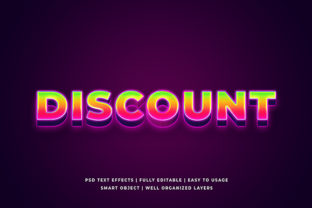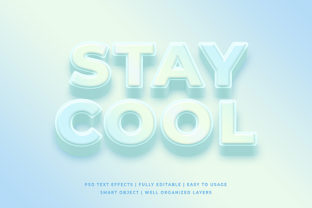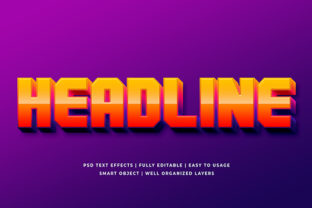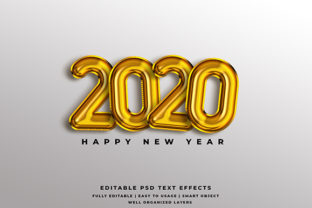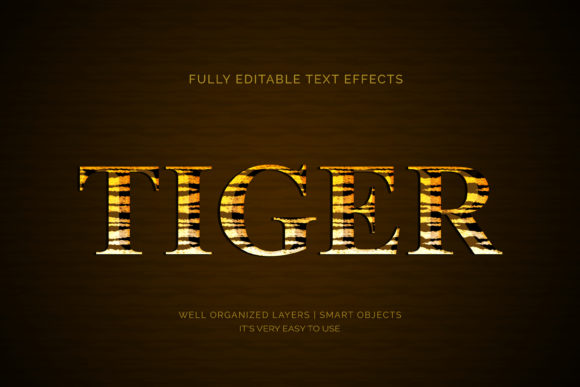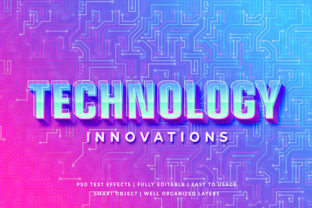
What Is a 3D Text Effect Mockup—and Why It Matters for Designers, Marketers, and Creators
Have you ever seen a sleek, photorealistic banner where bold text appears to leap off the screen—casting subtle shadows, catching light like metal, or sitting atop a textured surface? That’s likely the work of a 3D text effect mockup. Far more than just a visual flourish, this tool bridges design imagination with real-world presentation. Whether you're launching a new app, promoting an event, or building a brand identity, 3D text mockups help turn flat typography into compelling, context-rich visuals.
Breaking Down the Basics: What Exactly Is a 3D Text Effect Mockup?
A 3D text effect mockup is a pre-designed digital template—typically built in Photoshop, Figma, or specialized 3D software—that simulates realistic three-dimensional text within a lifelike environment. Unlike basic layer styles (like bevels or drop shadows), these mockups embed your custom text into a fully modeled scene: think studio lighting, reflective surfaces, depth-of-field blur, or even environmental textures like brushed aluminum, frosted glass, or weathered concrete.
Crucially, it’s not actual 3D modeling—you don’t need Blender or Cinema 4D expertise. Instead, designers use smart layers, displacement maps, and editable text fields to insert their own wording while preserving photorealistic lighting, perspective, and material properties.
How It Differs From Similar Concepts
- Basic text effects: Drop shadows, gradients, or bevels applied directly in design tools—fast but flat and often unrealistic.
- True 3D rendering: Requires modeling, texturing, lighting, and rendering—powerful but time-intensive and technically demanding.
- 3D text mockups: A practical middle ground—offering realism without the learning curve or rendering time.
This distinction matters because it unlocks professional-grade visuals for non-3D specialists—freelancers on tight deadlines, social media managers crafting campaign assets, or educators preparing engaging course materials.
Why Use a 3D Text Effect Mockup? Real-World Value Across Fields
The appeal isn’t just aesthetic—it’s strategic. Here’s how different professionals benefit:
For Graphic Designers & Brand Teams
Imagine presenting a logo redesign to a client. Instead of showing plain vector text on a white background, you drop the name into a mockup that places it on a matte-black acrylic plaque with soft ambient lighting. Instantly, the client grasps scale, tone, and material intent. That level of context builds trust and speeds up approvals.
For Marketers & Social Media Managers
Platforms like Instagram and LinkedIn reward eye-catching visuals—especially in crowded feeds. A 3D text mockup can transform a simple quote (“Innovate Fearlessly”) into a high-engagement post: metallic letters floating above a misty mountain backdrop, complete with realistic reflections. These assets perform better because they feel intentional, premium, and platform-optimized.
For Educators & Presenters
In online learning, visual clarity boosts retention. Using a 3D mockup to highlight key terms—like “Neural Network” rendered in glowing blue wireframe over a circuit board texture—makes abstract concepts tactile and memorable. It’s not decoration; it’s cognitive scaffolding.
For Small Business Owners & Solopreneurs
You don’t need a design team to communicate professionalism. A well-chosen mockup—say, gold foil text on a linen-textured business card template—elevates your branding instantly. It signals care, consistency, and attention to detail—all without outsourcing or expensive software subscriptions.
How 3D Text Mockups Fit Into Today’s Creative Workflow
Modern design isn’t about isolated files—it’s about speed, adaptability, and cross-platform coherence. That’s where mockups shine:
- Consistency at scale: Update one text layer, and the effect applies across all lighting, shadow, and reflection channels—no manual tweaking per element.
- Responsive previewing: Many mockups include variants for web banners, mobile ads, print brochures, and even AR-ready formats—helping teams visualize how messaging lands across devices.
- Collaboration-ready: Shared via cloud platforms like Figma or Adobe Creative Cloud, mockups let copywriters, designers, and stakeholders edit text independently while preserving visual integrity.
They’re also increasingly AI-integrated: some newer mockup libraries accept natural-language prompts (“Make this title look like engraved marble on a stone wall”) and auto-generate matching scenes—blending human creativity with computational precision.
Common Misconceptions—Clarified
Despite their growing popularity, several myths persist around 3D text mockups:
- “They’re only for flashy projects.” Not true. Subtle mockups—like soft-shadowed sans-serif text on a paper texture—are widely used in corporate reports, academic posters, and nonprofit campaigns for quiet sophistication.
- “You need advanced skills to use them.” Most modern mockups are drag-and-drop friendly. Platforms like Envato Elements or Creative Market provide step-by-step video guides—even for beginners.
- “They slow down workflow.” The opposite is true. Replacing hours of manual layering with one-click text replacement saves time, reduces error, and ensures pixel-perfect output every time.
Getting Started: Practical Tips for First-Time Users
If you’re ready to try a 3D text effect mockup, keep these tips in mind:
- Start with purpose: Ask, “What emotion or message should this convey?” Sleek chrome suggests innovation; hand-carved wood implies heritage; neon glow evokes energy. Let intent guide your mockup choice.
- Match typography to texture: A delicate script font may clash with rugged concrete—but pair beautifully with velvet or watercolor paper. Preview fonts in context before finalizing.
- Respect accessibility: Ensure contrast between text and background meets WCAG 2.1 standards—even in 3D. Many mockups include adjustable brightness and opacity controls for compliance.
- Leverage free resources first: Sites like Mockup World and FreebiesBug offer high-quality, no-cost 3D text mockups to test usability and style fit.
Looking Ahead: The Evolving Role of 3D Text in Digital Communication
As AR, VR, and spatial computing mature, 3D text is moving beyond static mockups. We’re already seeing interactive versions—where users rotate, zoom, or even “place” branded text in their physical space via smartphone cameras. Tools like Adobe Substance 3D and Apple Reality Composer are lowering barriers further, letting designers export mockup-style assets directly into immersive experiences.
Yet the core principle remains unchanged: context transforms communication. A word on a screen is information. The same word, rendered with thoughtful depth, lighting, and environment, becomes an experience—one that resonates, persuades, and endures.
Final Thought: It’s Not About the “Wow”—It’s About the “Why”
3D text effect mockups aren’t magic—they’re empathy made visible. They answer unspoken questions your audience has: “Where would I see this? How does it feel? Does it belong here?” By embedding text in meaningful environments, you honor your viewers’ intelligence and attention. And in today’s saturated digital landscape, that kind of respect—not just realism—is what truly stands out.
Whether you’re refining a pitch deck, launching a product, or simply aiming to make your next presentation unforgettable, start with intention. Then let a well-chosen 3D text effect mockup do the rest.