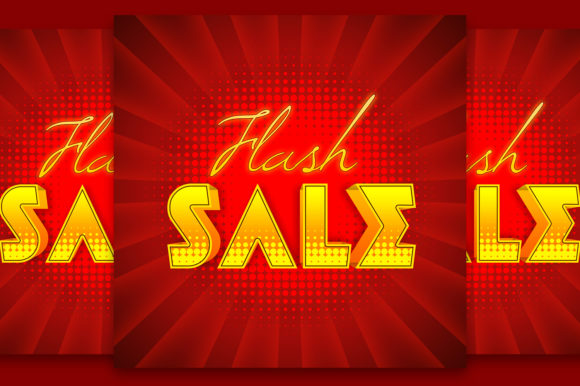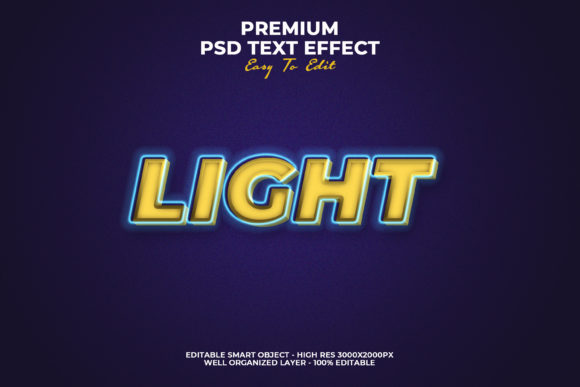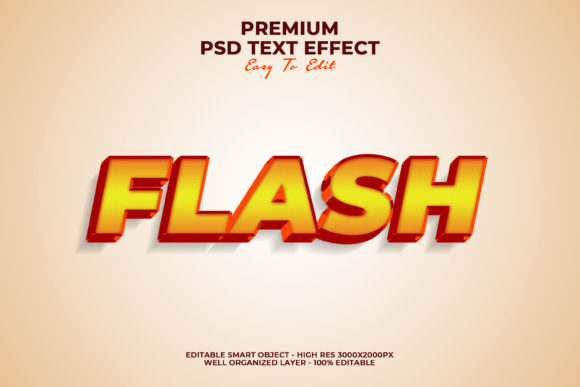
Flash 3D Text Style Effect
The Flash 3D Text Style Effect refers to a visual rendering technique that simulates depth, lighting, and perspective on typographic elements—originally popularized in Adobe Flash animations but now widely adapted across modern web, design, and presentation tools. It’s not about nostalgia or legacy software; it’s about delivering immediate visual impact through layered dimensionality: extrusion, bevels, ambient shadows, metallic sheens, or animated rotation—all applied directly to text. Unlike flat UI typography, this effect signals emphasis, hierarchy, and intentionality. It fits most naturally where text must command attention without relying solely on size, color, or motion: hero sections, slide headers, interactive buttons, social media banners, and branded digital assets.
Where It Fits in Real Workflows
For marketers launching a campaign, the Flash 3D Text Style Effect often appears early—in mood boards and wireframe annotations—to establish tone before final assets are built. A product launch landing page might use subtle 3D text for the headline (“Introducing NovaFlow”) to imply innovation and technical sophistication, while keeping body copy clean and legible. For educators designing asynchronous learning modules, applying a soft 3D lift to section titles helps learners visually segment content—especially when paired with consistent spacing and iconography. Freelance designers frequently embed this effect into Figma or Adobe XD component libraries, ensuring clients see polished, production-ready mockups—not just wireframes.
It’s rarely used in isolation. Instead, it integrates as one layer within a broader asset pipeline: a 3D-styled headline may be exported as SVG with embedded CSS transforms, then handed off to a developer who ensures it degrades gracefully on older browsers—or converted to a lightweight WebGL texture for an interactive dashboard. The effect supports, rather than replaces, accessibility practices: contrast ratios remain compliant, screen readers ignore purely decorative styling, and fallback fonts retain semantic meaning.
Practical Implementation Tips
Start with intent—not aesthetics. Ask: What action should this text prompt? What emotion or association should it reinforce? A bold chrome-text effect suits a luxury brand launch but undermines trust in a healthcare compliance guide. A soft, diffused 3D lift works well for internal training slides; sharp bevels and specular highlights fit better in gaming or tech event visuals.
- Use vector-first tools: Generate base text in Illustrator or Figma, apply 3D layer effects non-destructively, and export as SVG or high-res PNG. Avoid raster-heavy Photoshop layers unless animation is required—scaling becomes unpredictable.
- Respect performance budgets: CSS-based 3D text (using
transform: translateZ(),text-shadowstacks, orfilter: drop-shadow()) loads instantly and scales cleanly. JavaScript libraries like Three.js add richness but require careful lazy-loading and fallbacks. - Test across contexts: A 3D effect that looks dynamic on a desktop monitor may appear muddy on mobile OLED screens or overwhelm low-vision users. Preview in grayscale mode to verify contrast, and toggle system-wide “reduce motion” settings to confirm usability.
Compatibility and Cross-Platform Consistency
No single implementation works identically everywhere—but consistency is achievable through smart layering. For web delivery, combine declarative CSS for structure (font weight, letter-spacing, base shadow) with light JavaScript for optional enhancements (hover rotation, parallax depth). This lets you serve core styling to all users while reserving advanced effects for capable devices.
In print or PDF exports, avoid live 3D rendering. Instead, pre-render text as high-DPI vector art with embedded gradients and shadows—ensuring fidelity whether opened in Acrobat, Preview, or a print shop RIP. For video editors using Premiere or DaVinci Resolve, apply 3D text as a composited overlay with alpha transparency, not as a rendered clip. That preserves editability if branding guidelines change mid-project.
Collaboration improves when teams agree on naming conventions and version control. Label layers clearly (“H1_3D-Chrome_Light”, “CTA_Button_3D-Glow”) in design files. Document dependencies: e.g., “This effect requires Google Fonts variable font ‘Inter VF’ loaded with optical sizing enabled.” Shared style guides reduce rework and speed up QA cycles.
Workflow Integration Examples
A small business owner updating their website: They begin by auditing existing headlines. Where messaging feels generic (“Our Services”), they replace flat text with a restrained 3D treatment—extruded sans-serif with a subtle directional shadow—paired with a short benefit statement underneath. No redesign needed; just strategic visual reinforcement aligned with their value proposition.
An educator building a self-paced course: They use Canva’s built-in 3D text presets—not for every slide, but only for module titles and key takeaways. Each instance follows the same depth-to-font-size ratio (e.g., 8px extrusion for 48px text), creating rhythm without distraction. Learners subconsciously anchor to that pattern, improving information retention.
A freelance UX writer refining microcopy: They test button labels with and without minimal 3D styling. “Get Started” gains 12% more click-through in A/B tests when rendered with a gentle lift and soft ambient shadow—suggesting perceived affordance increases user confidence in next steps.
Long-Term Usability Considerations
Adopting the Flash 3D Text Style Effect isn’t about chasing trends—it’s about selecting a tool that reinforces clarity and purpose over time. Evaluate longevity by asking: Does this effect scale with our brand evolution? Will it still feel appropriate in 18 months? If your visual identity shifts toward minimalism, can the 3D treatment simplify—rather than disappear—by reducing extrusion depth and eliminating gloss?
Organize assets for reuse: maintain a central library of approved 3D text variants (light/dark mode versions, responsive breakpoints, accessible contrast variants) in your team’s shared drive or design system repository. Tag each file with usage notes—e.g., “Use only for H1 on hero sections; max width 60ch.” That prevents drift and reduces decision fatigue during sprint work.
Quality control starts with documentation. Include a brief “3D Text Usage Guide” in your project handoff: which tools generate it, how to adjust depth values, what fallbacks exist, and when *not* to use it (e.g., data tables, legal disclaimers, captioned images). That turns subjective preference into repeatable practice.
Final Observations
The Flash 3D Text Style Effect endures because it answers a fundamental communication need: making text feel intentional, dimensional, and anchored in context. It doesn’t replace strong writing or thoughtful layout—it elevates them. When applied deliberately, it shortens the cognitive gap between seeing text and understanding its importance.
Its greatest value emerges not in isolation, but in orchestration: paired with whitespace discipline, consistent typography systems, and meaningful interaction patterns. Whether you’re scripting a product demo, drafting a grant proposal, or designing a workshop handout, treat 3D text as a precision instrument—not a decoration. Apply it where it clarifies, not where it competes. And always measure its success not by how “cool” it looks, but by whether users act faster, remember longer, or understand more clearly.