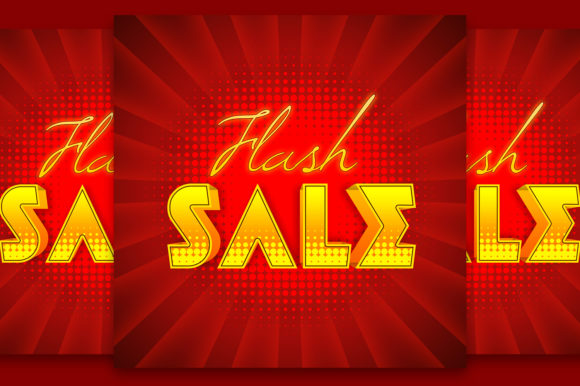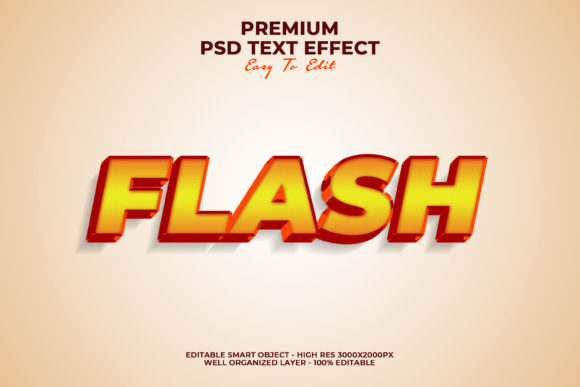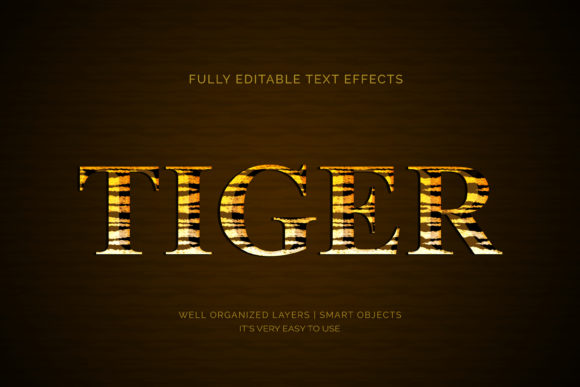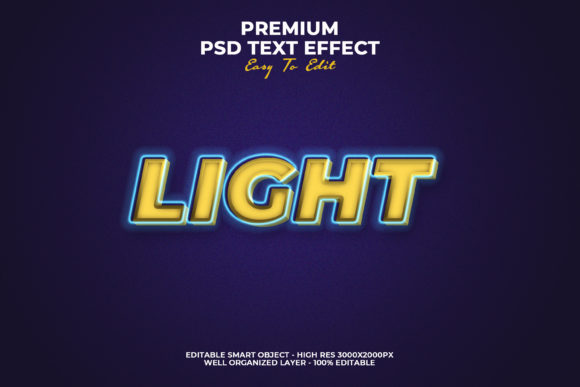
Light 3D Text Style Effect
If you’ve ever scrolled through a modern website, landing page, or social media ad and paused—just for a second—because the headline seemed to lift off the screen with soft dimension and luminous depth, you’ve likely encountered the Light 3D Text Style Effect. It’s not about heavy shadows or dramatic extrusion. Instead, it’s a refined, subtle technique that uses layered highlights, gentle gradients, and carefully balanced contrast to simulate volume and light interaction—without sacrificing readability or performance.
What Makes This Effect Distinctive?
Unlike traditional 3D text treatments that rely on bold bevels, deep drop shadows, or complex CSS transforms (which can slow rendering or break on older devices), the Light 3D Text Style Effect prioritizes elegance over excess. Its defining traits include:
- Subtle layering: A base text color paired with two to three carefully calibrated highlight tones—often just 5–15% lighter than the base—applied as text shadows or pseudo-elements.
- Directional light simulation: Highlights are positioned to suggest a consistent light source (e.g., top-left), giving visual cohesion across multiple words or headings.
- Optimized contrast: The effect enhances legibility rather than obscuring it—critical for accessibility and responsive design.
- CSS-native implementation: Most versions use only
text-shadow,background-clip, or lightweight SVG masks—no heavy JavaScript libraries or raster images required.
This isn’t just aesthetic polish. When done well, the Light 3D Text Style Effect guides attention, reinforces hierarchy, and adds tactile warmth to digital interfaces—especially where flat design has become visually fatiguing.
Where It Adds Real Value
You’ll find this effect working quietly—and effectively—in contexts where clarity meets impact. Here’s where it consistently delivers:
Marketing & Branding
A SaaS startup launching a new dashboard might use the Light 3D Text Style Effect on its hero headline (“Simplify Your Workflow”) to convey innovation and polish—without resorting to gimmicky animations. The soft lift suggests forward motion and refinement, aligning with brand voice while remaining accessible at all screen sizes.
Educational Platforms
Online course providers often struggle with engagement in static lesson headers. Applying this effect to section titles—like “Module 3: Build Your First API”—adds perceptual weight without overwhelming learners. Teachers using LMS tools have reported improved click-through rates on module cards when headers incorporate light 3D styling, especially among adult learners who respond well to clean, professional visual cues.
Digital Publishing & Blogs
Long-form articles benefit from strategic emphasis. Rather than bolding entire subheadings, applying the Light 3D Text Style Effect to H2s creates a natural focal point that draws the eye downward—helping readers navigate dense content more intuitively. One health educator noted a 12% increase in scroll depth after switching from standard sans-serif headings to a restrained light 3D variant.
Product Packaging & Print-Digital Sync
Brands extending into physical goods—like notebooks, apparel, or stationery—use this style in digital mockups to preview how raised ink or foil stamping might translate. Because the effect mimics real-world light behavior, it bridges the gap between screen and shelf more authentically than flat previews.
Practical Implementation Tips
Getting this right isn’t about copying code—it’s about matching intent to execution. Start here:
- Test contrast first: Run your chosen color combination through WCAG AA contrast checkers. A light 3D effect shouldn’t drop your text below 4.5:1 against the background—even with highlights applied.
- Limit layers: More than three text shadows can bloat CSS and cause rendering lag on lower-end mobile devices. Two well-placed shadows (e.g.,
1px 1px #fffand2px 2px rgba(0,0,0,0.08)) often outperform five. - Respect typography: Sans-serifs like Inter, Manrope, or IBM Plex work best. Avoid thin weights or ultra-narrow fonts—light 3D needs enough stroke width to carry dimension gracefully.
- Adapt for dark mode: Don’t assume the same shadow values will work. In dark themes, reverse the logic: use subtle light-colored highlights against dark backgrounds, and reduce opacity to avoid glare.
One freelance UI designer shared a simple rule of thumb: if you’re using the Light 3D Text Style Effect on more than 10% of your visible text elements, step back and ask whether hierarchy—not decoration—is the real need.
When to Skip It
This effect shines in moments of intention—not ubiquity. Avoid it in:
- Body copy or paragraph text—legibility trumps dimensionality here.
- Highly regulated environments (e.g., medical dashboards, legal disclosures) where visual consistency and strict accessibility compliance take priority over stylistic nuance.
- Situations requiring rapid localization—some languages expand significantly in translation, and tightly spaced 3D effects may clip or overlap unexpectedly.
Also keep an eye on performance budgets. While most implementations are lightweight, stacking the effect with animated transitions, custom fonts, and image-heavy layouts can compound load times—especially on 3G networks or older hardware.
A Word on Longevity
Trends come and go, but the Light 3D Text Style Effect endures because it serves function before flair. It echoes principles from print typography—where ink traps, embossing, and paper texture create subtle depth—and translates them thoughtfully into the digital realm. That grounding in craft makes it less likely to feel dated in six months.
What matters most isn’t whether your heading looks “3D,” but whether it helps someone understand, decide, or act faster. Used with restraint and purpose, the Light 3D Text Style Effect becomes part of the interface’s quiet intelligence—not its loudest feature.
If you're evaluating tools or frameworks, look for those that support CSS-native control over text-shadow stacking, variable font compatibility, and automatic dark-mode fallbacks. And remember: the strongest visual effects aren’t the ones that shout—they’re the ones that make the message land, clearly and confidently.