Apple PSD 3D Text Effect: When Real Projects Need That Polished, Dimensional Spark
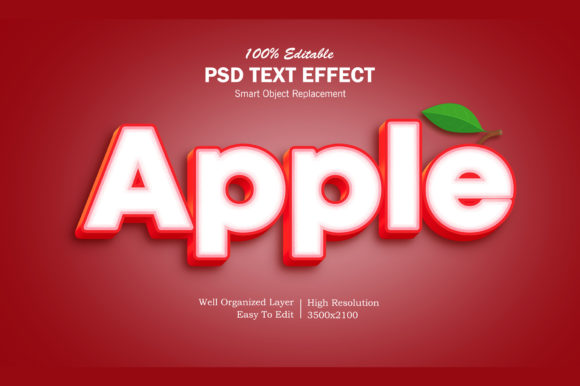
If you’ve ever opened Photoshop to design a social media banner, mock up an app icon, or prepare a presentation slide—and paused because flat text just feels… forgettable—you’re exactly who the Apple PSD 3D Text Effect was built for. It’s not a flashy plugin or subscription tool. It’s a ready-to-use Photoshop file (PSD) that delivers that signature Apple-style depth, subtle lighting, and refined metallic sheen—without needing advanced modeling skills or hours of layer tweaking.
What It Actually Is—And What It’s Not
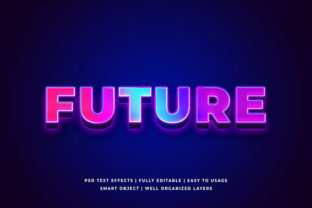
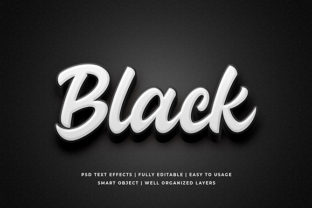
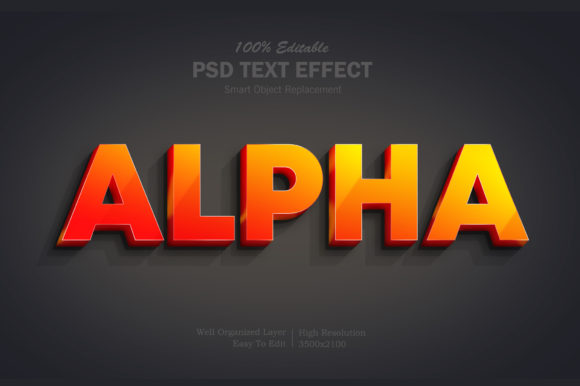
The Apple PSD 3D Text Effect is a layered Photoshop document with pre-configured layer styles, smart objects, and lighting gradients designed to mimic how Apple renders headlines in its keynotes, product pages, and promotional assets. You type your own text into a designated layer, and the effect responds—preserving crisp edges, realistic shadow fall-off, and that soft ambient glow Apple relies on. It’s not AI-generated. It’s not a one-click filter that flattens your control. It’s editable, scalable, and built to work inside standard Photoshop workflows—CS6 through latest versions.
Crucially, it’s not a font or a template pack. It’s a precision-tuned visual treatment. That distinction matters: if you need consistent branding across ten landing pages, five email headers, and three pitch decks, this PSD gives you repeatability *and* flexibility—not just decoration.
Where It Fits Into Real Workflows (Not Just “Design Time”)
Think about the last time you needed to make something look instantly more credible, premium, or intentional—without hiring a designer or learning Blender.
- Bloggers & Educators: A course launch page feels flat until you drop your headline into the Apple PSD 3D Text Effect. Suddenly, “Master Photoshop in 30 Days” gains weight, clarity, and quiet confidence—mirroring the tone of high-trust learning platforms like Coursera or Skillshare.
- Small Business Owners: You’re updating your Instagram Story for a seasonal sale. Instead of overlaying a generic “SALE” sticker, you drop your shop name into the PSD. The result? A cohesive, ownable look—no stock graphics, no mismatched fonts, just your brand voice with dimensional presence.
- Freelancers & Agencies: When presenting mockups to clients, subtle polish builds trust before you even explain your rationale. Using this effect on a headline in a website wireframe or app UI preview signals attention to detail—especially when clients compare your proposal against competitors’ flat screenshots.
- Content Creators: YouTube thumbnails live or die by legibility at small sizes. The Apple PSD 3D Text Effect includes optimized contrast, edge definition, and directional light—all helping your title stand out in a crowded feed, even on mobile.
Why “Apple-Style” Still Resonates—Beyond Aesthetics
It’s not about copying Apple. It’s about borrowing from a proven visual language of clarity and restraint. That subtle 3D lift does three practical things most users don’t notice consciously—but feel immediately:
- It creates hierarchy without shouting. Your headline doesn’t need a neon outline or drop shadow + stroke + bevel combo. The gentle extrusion and soft ambient occlusion naturally push it forward while keeping background elements legible.
- It implies craftsmanship. In a world of rushed Canva templates and auto-generated banners, a carefully rendered text effect quietly signals effort, care, and intention—even if it only took you two minutes to apply.
- It scales cleanly. Because it’s built with vector-based smart objects and non-destructive layer styles, resizing your text for a billboard mockup or a Twitter header won’t introduce pixelation or style breakdown.
Practical Things to Check Before You Use It
This isn’t a “download and done” asset—it’s a tool that works best when matched to your real setup and goals.
Check your version of Photoshop. While many versions support the core layer styles, older ones (pre-CS6) may not render inner glows or advanced blending modes correctly. If you’re using Photoshop Elements or free alternatives like Photopea, test first—the effect relies on native PS features that aren’t always fully replicated.
Consider your output context. For web use, remember: the effect adds layers and complexity. Flatten carefully before exporting PNGs for fast loading. For print, verify resolution and color mode—many Apple PSD 3D Text Effect files default to RGB; switch to CMYK only if your printer requires it, and soft-proof first.
Think about typography pairing. This effect shines with clean, geometric sans-serifs (think San Francisco, Inter, Montserrat, or Helvetica Neue). Avoid overly decorative, condensed, or script fonts—they’ll fight the effect’s balance instead of enhancing it. When in doubt, stick with what Apple uses: medium weight, generous letter-spacing, and ample line height.
Real Scenarios Where It Makes a Measurable Difference
You’re launching a new podcast. Your cover art looks great—but the title gets lost on Spotify’s tiny grid view. Applying the Apple PSD 3D Text Effect refines contrast, adds just enough depth to separate letters from busy backgrounds, and improves readability at thumbnail size. Listeners pause longer. Click-through rates nudge up—not because it’s “flashy,” but because it reads clearly, quickly, and confidently.
You run a local yoga studio. Your monthly newsletter features class updates, teacher spotlights, and wellness tips. Dropping “New Mindful Movement Series” into the PSD for your hero banner gives it gravitas—aligning visually with the calm, intentional energy you’re cultivating offline. Subscribers report the email “feels more grounded.” That’s not vague feedback—it’s the effect working as intended: supporting tone, not distracting from it.
You’re a freelance copywriter pitching a SaaS client. Your deck opens with their value proposition: “Turn Data Into Decisions.” Instead of plain text over a gradient, you apply the Apple PSD 3D Text Effect. The client later tells you, “That first slide made the whole pitch feel more tangible.” That’s the outcome—not “it looked cool,” but “it made the idea feel real.”
A Final Note on Use, Not Just Application
The Apple PSD 3D Text Effect works best when treated as part of a system—not a shortcut. Pair it with thoughtful spacing, intentional color palettes, and consistent typographic rhythm. Don’t stack it with heavy shadows, animated GIFs, or clashing fonts. Its strength lies in restraint. Use it where you want focus, clarity, and quiet authority—not noise.
If you’re weighing whether to download or purchase one: prioritize files with clear documentation, editable smart objects (not flattened layers), and responsive support. A well-built Apple PSD 3D Text Effect should let you change text, adjust lighting angle, tweak metallic intensity, and export cleanly—without digging into blending options you didn’t set up.
In the end, it’s about giving your message the visual weight it deserves—without overcomplicating the process. Whether you’re announcing a new feature, launching a workshop, designing a portfolio piece, or simply making your next slide deck feel more considered—the Apple PSD 3D Text Effect is one of those rare tools that pays off in perception, professionalism, and practicality—every single time you use it right.